Try it with Jupyter Hub (recommended)
Learn how to access our introductory Jupyter notebook with Jupyter Hub.
Steps
In a web browser, go to https://jupyterhub.validmind.ai.
Click Sign in with Auth0, enter your ValidMind email address and password credentials, and click Continue.
In the sidebar, double click the QuickStart_Customer Churn_full_suite.ipynb notebook:
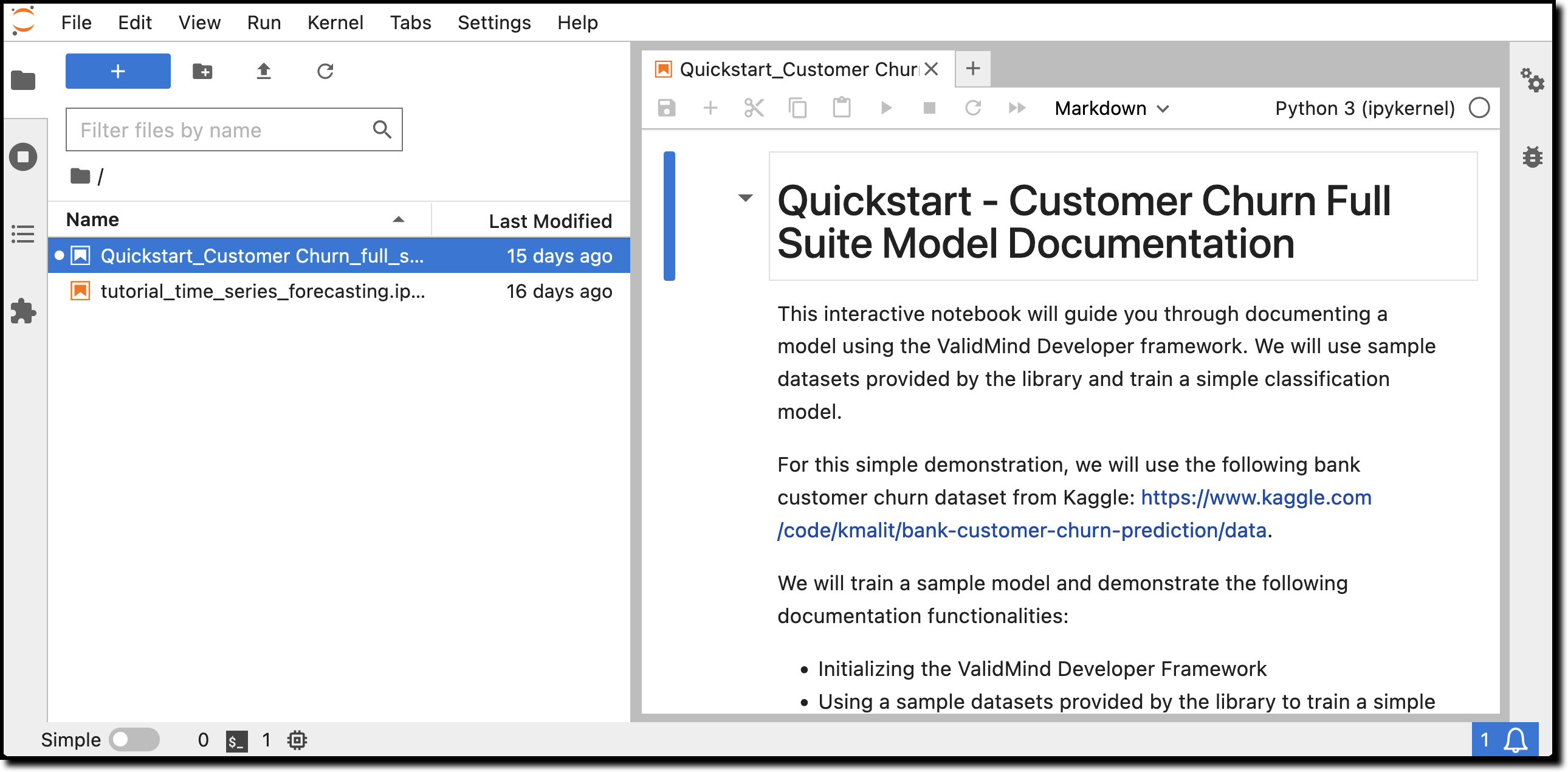
After the notebook opens, run the first few cells in the notebook:
- Hover over each cell and click the icon; OR
- Press
Shift + Enteron Windows orCmd + Enterif you are on a Mac
The notebook will guide you through installing the ValidMind Developer Framework, initializing the Python environment, and finally initializing the ValidMind Client Library by connecting to the ValidMind Platform.
Near the bottom of the Initialize ValidMind section, you should see a message like this:
Connected to ValidMind. Project: Customer Churn Model - Initial Validation (xxxxxxxxxxxxxxxxxxxxxxxxx)This message confirms that the developer framework works as expected.
You can now continue running the rest of the cells if you want to see how the demo notebook works or, to save some time, you can move on to the next section to explore the Platform UI.
What’s next
Continue with Explore sample model documentation to learn more about using the ValidMind AI risk platform hands-on.