Onboarding users
Onboarding users involves controlling and organizing who has access to the ValidMind platform. Tasks include inviting your initial users, creating groups, and assigning roles and permissions.
Key concepts
Effective user management is essential for maintaining security and operational efficiency. ValidMind uses role-based access control (RBAC) to manage user permissions systematically for our platform. With RBAC, access permissions are associated with roles rather than individual users. Users are assigned to specific roles, and these roles are then granted the necessary permissions to perform their respective tasks.
This approach simplifies user management by centralizing permissions and enhances security and efficiency. It ensures that your users have the appropriate level of access based on their roles, reducing the risk of unauthorized actions and fostering a structured and controlled environment within an organization’s digital ecosystem.
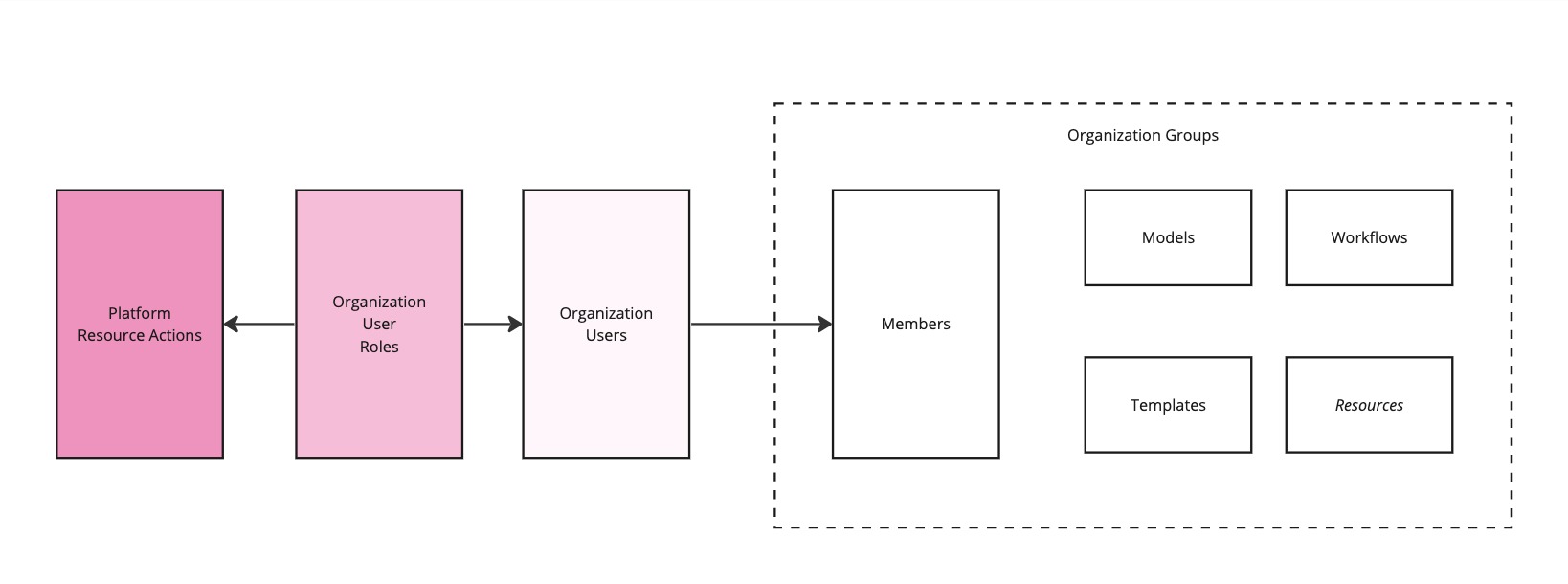
Key terms
- Users
- Individuals interacting with the Platform UI, each having a unique account.
- Roles
- Sets of permissions defining which actions users can perform on the Platform UI.
- Groups
- Collections of users managed at the organization or team level with similar roles or permissions, such as a specific model validation team or model developers in a specific business unit.
- Permissions
- Specific actions or operations on resources allowed or denied to users or roles.
- Resource actions
-
Specific CRUD (read, read, update, delete) actions, such as
create_modelorupdate_template.
Supported Roles
User management utilizes role-based access control (RBAC), where roles determine permissions. Here are some common roles and their descriptions:
- Developer
- Model developers are responsible for documenting and testing models. They may have access to development tools and resources that interact with the Platform UI and they can upload model documentation and test results through the developer framework.
- Validator
- Model validators review, test and validate models and model documentation. They may have limited access to modify content or configurations.
- Group Admin
- Group admins manage specific user groups, assigning and revoking permissions within those groups. They help ensure efficient group-level access control.
- Customer Admin (Superuser)
- The Customer Admin role is a superuser, with extensive control over the entire platform. This role can manage users, groups, and permissions at a broader level.
Example
In the following example, RBAC has been configured for users and roles for two groups, the Marketing Group and the Finance & Risk Management group:
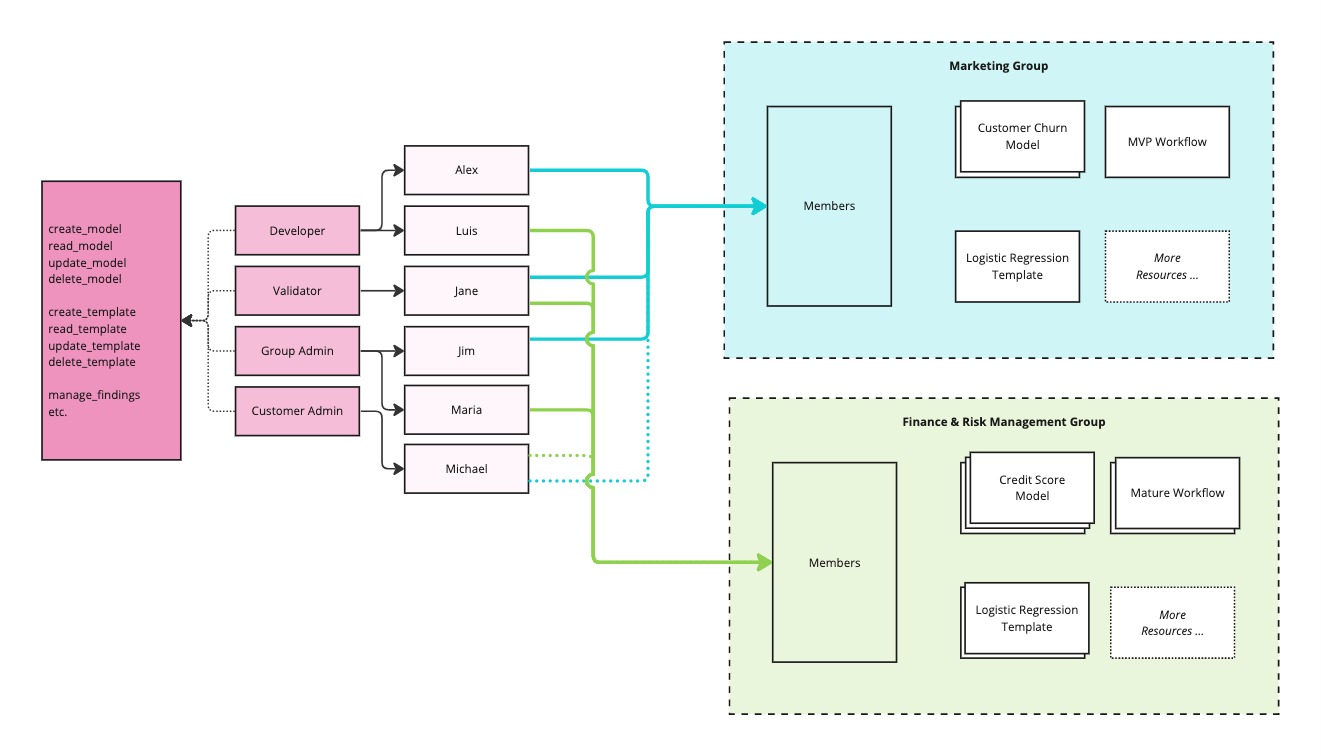
On the left, the possible CRUD (create, read, update, delete) operations are listed. There are four supported user roles, along with a number of users that have been defined. Each user is a member of one or more groups where they can perform actions based on the roles that they have been given.